KELIBRON
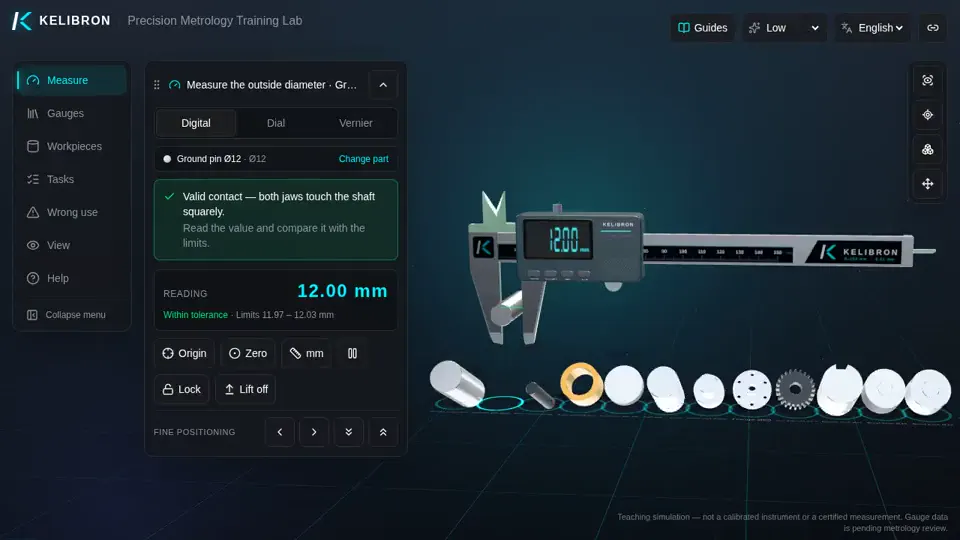
Digital caliper: outside diameter of Ground pin Ø12
Digital caliper: outside diameter of Ground pin Ø12: a 28-second reenactment recorded in the KELIBRON 3D lab, with English captions. The steps below are the captions in order, and you can do the same measurement yourself in the lab.
What happens in the video
- 0:00 Digital caliper: outside diameter of Ground pin Ø12
- 0:04 Close the jaws fully and press ORIGIN: the display reads 0.00.
- 0:09 Open the jaws and set Ground pin Ø12 deep between them, square to its axis.
- 0:13 Close the moving jaw gently until both faces touch.
- 0:18 Read while the caliper is still on the part: 12.00 mm, within 11.97–12.03 mm.
In the course
- Measurement data, uncertainty and decisions · Type A and Type B uncertainty — Evaluate the standard uncertainty of a reading.