KELIBRON
Measuring an outside diameter with a digital caliper
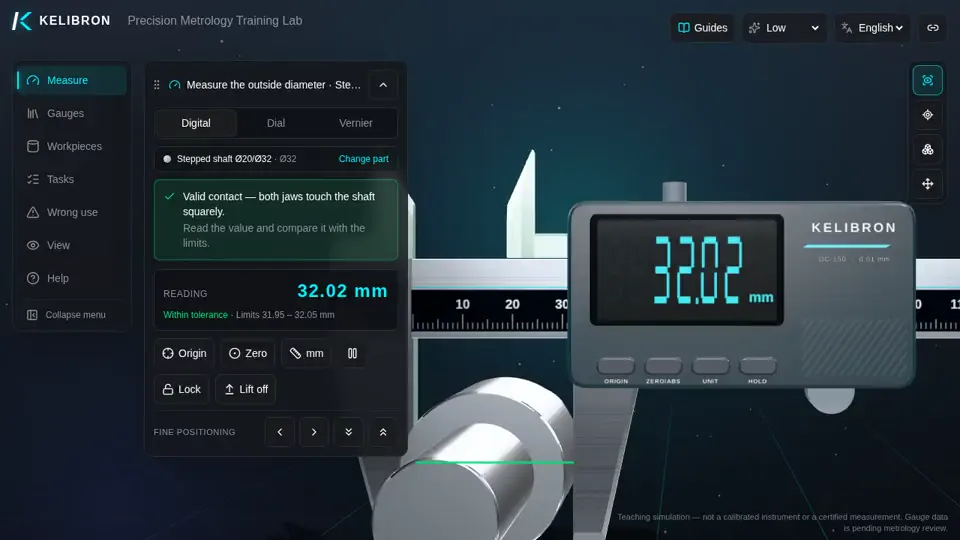
Measuring an outside diameter with a digital caliper: a 42-second reenactment recorded in the KELIBRON 3D lab, with English captions. The steps below are the captions in order, and you can do the same measurement yourself in the lab.
What happens in the video
- 0:00 Measuring an outside diameter with a digital caliper
- 0:05 Closed, but the display does not read 0.00 - the zero has drifted.
- 0:10 Close the jaws fully and press ORIGIN: the display reads 0.00.
- 0:16 Open the jaws and set the shaft deep between them, square to its axis.
- 0:21 Close the moving jaw gently until both faces touch the shaft.
- 0:27 Read the display while the jaws are still on the part.
- 0:31 Press HOLD before lifting the caliper off, so the reading stays on the display.
In the course
- Caliper fundamentals · Using a digital caliper — Measure with a digital caliper and know when its zero can be trusted.